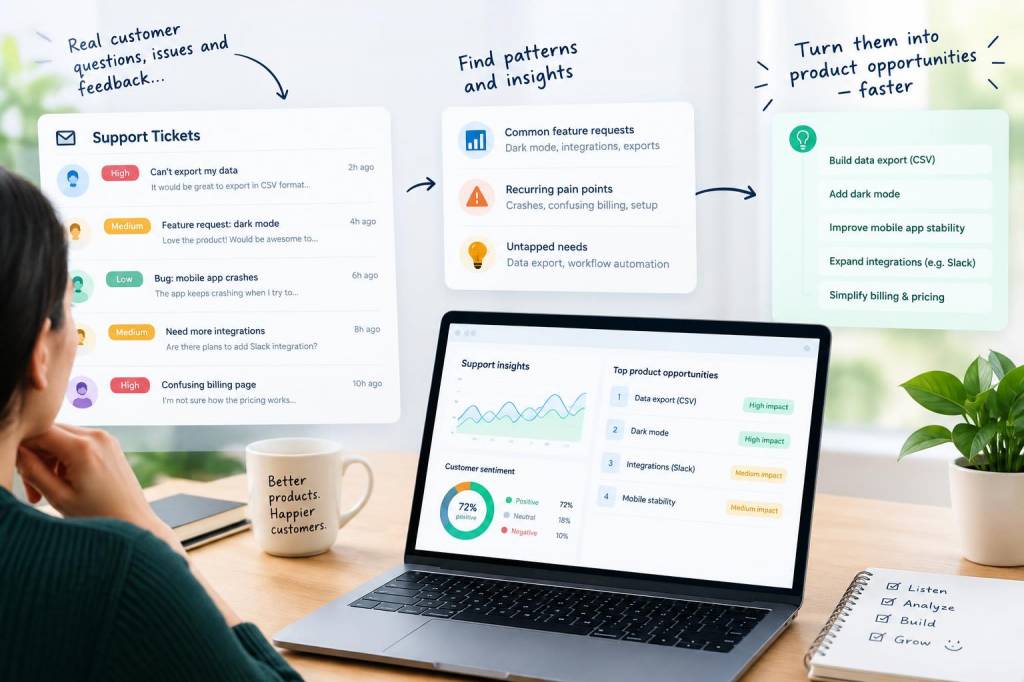
I have learned that customer support tickets are not just a record of problems; they are one of the fastest ways to discover what customers actually need, where product friction exists, and which ideas deserve attention before competitors notice them. When I look at a support queue, I do not see a pile of complaints. I see signals. I see repeated pain points, unmet expectations, confusing workflows, missing features, and hidden demand. If I analyze those tickets with care, I can uncover product opportunities much earlier than I could through surveys alone or by waiting for quarterly research.
Why support tickets reveal opportunity so quickly
Support tickets arrive at the exact moment when a customer feels friction strongly enough to ask for help. That timing makes them incredibly valuable. Unlike a survey response, a ticket is tied to a real use case, a real user, and often a real loss of time or revenue. I find that support data captures urgency in a way that most other feedback channels do not.
There is also a structural advantage. Tickets are already being collected every day. I do not need to recruit participants, design a long research plan, or wait for a large sample to appear. If I have a steady flow of conversations coming into Zendesk, Intercom, HubSpot Service Hub, or another help desk system, I already have a live stream of product intelligence. The challenge is not access. The challenge is making sense of it fast enough to act.
What makes tickets especially powerful is that they often expose a gap between what a product team thinks users need and what users actually struggle with. A product roadmap may be shaped by internal assumptions, but support data reflects reality. If many customers are asking for a workaround, a clearer setting, a better integration, or a simpler onboarding path, that pattern deserves attention.
What I look for inside each ticket
When I review tickets, I try to move beyond the surface issue and identify the underlying opportunity. A single message might mention a bug, but the more useful insight is often deeper. I ask myself what the customer was trying to achieve, where their workflow broke, and whether the problem points to a missing feature, a confusing interface, or a broader product limitation.
In practice, I pay attention to a few signals:
- Repeated mentions of the same task or obstacle
- Questions from different customer segments about the same feature
- Tickets that mention workarounds, because workarounds often reveal unmet demand
- Requests that sound small but affect a critical workflow
- Messages that show confusion during onboarding, activation, or checkout
- Language that suggests customers are comparing us with a competitor
One of my favorite habits is to read the customer’s exact wording. If several users say, “I expected this to do X,” that phrase matters. It tells me about the mental model they brought into the product. That can be more useful than a feature request, because it highlights an expectation gap. Closing that gap may improve retention faster than adding a brand-new feature.
My workflow for turning tickets into product insight
I prefer a simple process that can run every week without becoming heavy or slow. First, I tag tickets by issue type, product area, customer segment, and sentiment. I do not need perfect taxonomy at the start. I need consistency. Even a basic tagging structure makes patterns visible much sooner than reading tickets one by one.
Next, I group similar tickets into themes. For example, if I notice multiple requests related to export files, permission settings, or payment failures, I create a theme for each cluster. I then count frequency, but I do not stop there. Volume matters, yet intensity matters too. A low-volume issue that blocks a core workflow can be more important than a high-volume annoyance that is easy to bypass.
After that, I compare support themes with product metrics. If users are asking for help in a particular step and that same step shows a drop-off in activation or conversion, I treat that as a strong opportunity. Support alone tells me what hurts. Product analytics tells me where it hurts at scale. Together, they form a much clearer signal.
I also like to distinguish between bugs, usability issues, missing capabilities, and expectation mismatches. These categories may sound similar, but they require different responses. A bug may need engineering attention. A usability issue may need design work. A missing capability may become a roadmap item. An expectation mismatch may call for better copy, better onboarding, or better product education.
Questions I ask before I call something a product opportunity
Not every ticket should become a feature request. Some issues are isolated, temporary, or caused by user error. To avoid chasing noise, I ask a few questions before I escalate a pattern.
- Is this problem repeated across multiple users or accounts?
- Does it affect retention, activation, revenue, or trust?
- Is the customer trying to accomplish something important?
- Is there a workaround, and if so, how painful is it?
- Would solving this create value for a broader segment?
- Does this align with our strategy, or is it a distraction?
If the answer is yes to several of these, I treat the issue as a real opportunity. I have found that this prevents teams from overreacting to one-off requests while still moving quickly on meaningful patterns.
How I prioritize which ticket themes deserve attention
Prioritization matters because support teams can uncover far more ideas than a product team can execute. I use a mix of frequency, severity, strategic fit, and revenue impact. Frequency tells me how common the issue is. Severity tells me how painful it is. Strategic fit tells me whether it supports the product direction. Revenue impact tells me whether it affects acquisition, retention, expansion, or churn.
Here is a framework I often use:
| Signal | What I look for | What it may suggest |
|---|---|---|
| High frequency | Many tickets on the same topic | Broad usability issue or missing feature |
| High severity | Users blocked from completing a core task | Urgent product fix or workflow redesign |
| High strategic fit | Issue matches a core product goal | Strong candidate for roadmap investment |
| High revenue impact | Issue affects buying, renewal, or upgrade behavior | Priority for growth and retention |
This approach helps me separate useful signal from emotional noise. A loud complaint is not always the most valuable opportunity. A quiet pattern buried in a few accounts may be much more important if those accounts represent a high-value segment or a critical use case.
How support data changes product conversations
One of the biggest benefits of using support tickets is that they make product discussions more concrete. Instead of saying, “I think users might want this,” I can say, “This issue appeared in 47 tickets last month, mostly from trial users in their first week, and many of them stopped after the same step.” That changes the tone of the room. It shifts the conversation from opinion to evidence.
I have also found that support examples help product managers, designers, engineers, and marketers understand users more deeply. A ticket quote can be more persuasive than a chart because it carries emotion and context. When I share a cluster of tickets, I often include the exact customer language, the account type, and any downstream effect I can trace. That makes the opportunity easier to discuss and harder to ignore.
This is especially useful when aligning teams around customer experience. Support often sits closest to the pain, while product teams sit closest to the solution. When those groups share the same evidence, collaboration improves. Suddenly, the question is not whether a problem exists. The question is what to do about it first.
The mistakes I avoid when analyzing tickets
I have made enough mistakes to know that ticket analysis can go wrong in subtle ways. One common mistake is treating every request as a product request. Sometimes users are asking for help because they do not understand an existing feature, not because the feature is missing. If I move too quickly, I may build something unnecessary when a clearer explanation would solve the problem.
Another mistake is over-indexing on the loudest customers. Enterprise accounts, power users, or very vocal users can dominate the queue, but their needs may not reflect the broader market. I always ask whether a pattern is limited to one segment or shared across multiple segments.
I also avoid reading tickets without context. A complaint about latency, for example, may actually be a regional infrastructure issue, a browser-specific problem, or a result of a recent release. If I do not connect the ticket to product logs, usage patterns, or release notes, I may misdiagnose the opportunity.
Making the process sustainable
The method works best when it becomes part of a regular operating rhythm. I like weekly reviews for fast-moving products and monthly reviews for more stable ones. I also keep a living list of themes so I can see whether an issue is growing, shrinking, or repeating after a release. If a product change reduces ticket volume in one area, that is valuable proof that the work mattered.
I find it helpful to pair support analysis with a short internal summary. That summary might include the main themes, affected customer groups, sample quotes, suspected root causes, and next actions. Even a brief note can prevent insight from getting lost in the volume of daily support work. Over time, this creates a feedback loop where support informs product, product reduces friction, and support gains capacity for more strategic conversations.
When I do this well, customer support tickets become more than a service function. They become a product discovery engine. They help me spot demand early, understand pain precisely, and move with much more confidence when deciding what to improve next.